The Guest App Alternatives: 5 Better Wedding Photo Tools in 2026
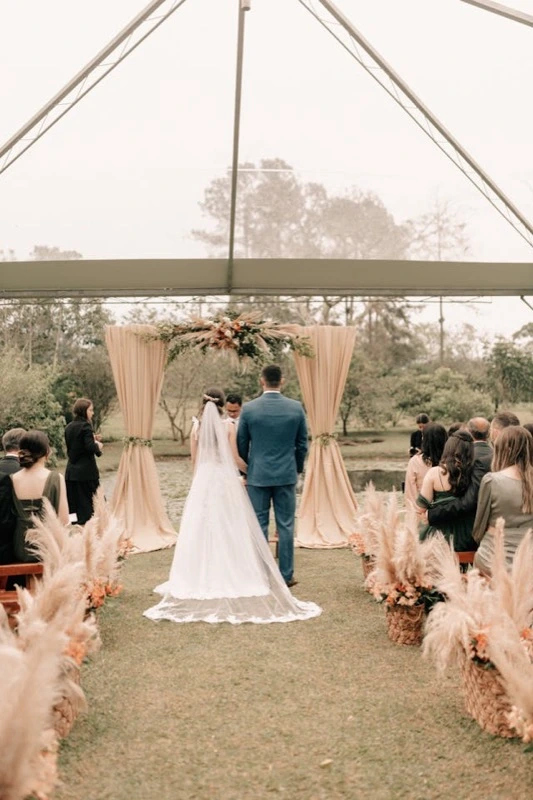
The Guest app pioneered automatic photo collection at weddings, but its app-download requirement has aged badly. Modern couples want photos from every angle of their wedding without forcing 150 guests to install software. Here are the 5 best alternatives — ranked by guest participation rates, photo quality, and setup time.
If you have spent any time researching wedding photo apps, you have probably landed on The Guest. It was one of the first tools to promise "every guest's phone, automatically synced." The idea was elegant: install the app, grant permissions, and every photo taken during your event hours would auto-upload to a shared gallery.
The Guest officially retired in October 2022 and stopped accepting new events, with archive downloads finally going dark in 2024. The reason it failed in the market is the same reason couples are still searching for replacements today: asking your great-aunt to download an app, create an account, and grant background photo permissions on her iPhone is a tough sell. Industry data on app-based event sharing shows that fewer than 35% of invited guests actually complete the setup. The remaining 65% — including the people who took your favorite candid shots — never contribute anything.
So if you are searching for an alternative to The Guest app, you are not alone. Below are the five options that consistently outperform it, ranked by real-world participation and ease of use.

Why The Guest App Fell Out of Favor
Three structural problems made The Guest hard to recommend in 2026:
- Mandatory app install. Every guest had to visit the App Store or Play Store, search for the app, install it, and create an account before they could contribute a single photo.
- Background permission anxiety. Auto-sync required granting access to the phone's entire camera roll plus background activity — a deal-breaker for privacy-conscious guests.
- iOS background-upload limits. Apple has progressively restricted background uploads to save battery. Auto-sync apps now miss photos that were taken when the app was not actively open.
The result: couples paid for a service that captured photos from maybe a third of their guest list. The modern alternatives below all solve the same problem with a different model — browser-based QR sharing — which removes the app barrier entirely.
5 Best Alternatives to The Guest App
1. Blicas — ⭐️ Best Overall Replacement
Blicas is the most direct replacement for The Guest. It solves the same problem (collect every wedding photo from every guest) but ditches the app entirely. You create a private gallery in two minutes, print the auto-generated QR code on your table cards, and guests scan-and-upload straight from their phone's camera — no install, no account.

Strengths: Zero friction, full-resolution photos and videos, single ZIP download of everything, private link, fast even on weak venue Wi-Fi. Participation rates regularly exceed 80%.
Weaknesses: No automatic background sync — guests need to choose which photos to upload (most users actually prefer this for privacy).
Best for: Anyone whose top priority is "I want everyone's photos, no exceptions." Read our step-by-step QR code guest book guide for the full setup walkthrough.
2. Kululu — Best for Live Slideshows
Kululu uses the same browser-based, QR-driven model as Blicas. Its standout feature is a live slideshow you can cast to a screen at the venue — photos appear seconds after guests upload them, which creates a fun social loop during the reception.
Strengths: Real-time slideshow, polished UI, good event-day moderation tools.
Weaknesses: Higher price point, occasional rate-limiting on large galleries, slideshow setup adds complexity if your venue does not have a screen.
Best for: Couples whose venue has projection and who want a visible photo wall during the party.
3. Guestpix — A Solid Mid-Tier Option
Guestpix is another QR-based digital guestbook. It covers the basics well — collect, view, download — without flashy extras.
Strengths: Simple UX, established brand, straightforward pricing.
Weaknesses: Limited customization for the guest landing page, paywall for the full preview (you commit before fully testing), older mobile design.
Best for: Couples who want a no-frills tool from a brand with a few years of track record.

4. POV / Lense — Disposable Camera Vibe
POV and Lense take a different angle. They simulate a digital disposable camera — guests use a web tool that hides previews and limits shots to make every photo feel intentional. The aesthetic is great for couples chasing the "throwaway 90s film look."
Strengths: Distinctive vibe, polished filters, nostalgic feel.
Weaknesses: Lower photo volume by design, filtered images instead of originals, less practical if you want raw memories for an album.
Best for: Style-first couples who care more about a specific look than capturing every moment.
5. Google Photos Shared Album — 💰 The Free Option
A shared collaborative Google Photos album is free and works fine in principle. Guests upload, photos appear in a stream, and you keep originals.
Strengths: Free, familiar interface for many guests, unlimited storage if you already pay for Google One.
Weaknesses: Requires every guest to have a Google account, no branded landing page, no QR code without a third-party generator, public-feeling URL, compression on the free tier.
Best for: Tiny weddings (under 30 people) where most guests are already in your Google contacts.
Quick Comparison Table
| Tool | App needed? | Full-res? | Setup time |
|---|---|---|---|
| Blicas | No | Yes | ~2 min |
| Kululu | No | Yes | ~5 min |
| Guestpix | No | Yes | ~5 min |
| POV / Lense | No (web) | Filtered | ~3 min |
| Google Photos | Optional | Compressed (free tier) | ~10 min |
| The Guest (original) | Yes | Yes | ~15 min + guest installs |
How to Pick the Right Alternative
The decision usually comes down to three questions:
- Do you want maximum participation? Pick a no-app, QR-based tool like Blicas. App-based options will lose you over half your guest list every time.
- Do you want a live photo wall at the reception? Kululu's slideshow feature is the strongest in this category.
- Do you care about full-resolution originals? Avoid heavily filtered tools (POV, Lense) and free Google Photos. Stick with Blicas, Kululu, or Guestpix.
Frequently Asked Questions
Is The Guest app still available?
No. The Guest stopped accepting new events in October 2022, and access to archived event downloads was shut off in 2024. If you were planning to use The Guest, you need a replacement. The QR-based alternatives above solve the same problem more reliably and without app installs.
What is the closest direct replacement for The Guest app?
Blicas is the most direct replacement. It serves the same core need (collecting photos from every guest) with a friction-free QR code flow instead of an app install.
Will guests still upload after the wedding?
Yes, as long as the platform keeps the gallery link active. Around 20-30% of uploads to a Blicas event happen in the days after the wedding, when guests are reviewing their camera rolls.
Do these alternatives also work for videos?
Blicas, Kululu, and Guestpix all accept videos at original resolution. POV and Lense are photo-focused. Google Photos compresses videos on the free tier.
How much do these tools cost?
Most charge a one-time fee per event between $20 and $80. Blicas sits at the lower end with unlimited guests and full-resolution downloads included.
For a deeper feature comparison, see our best digital wedding guest books guide.
Skip the app friction
Set up a no-download wedding gallery in two minutes. Every guest, every photo, full resolution.
Create your free event portal