Wedding QR Code Guest Book: How to Collect Every Photo in 2026
A wedding QR code guest book is the easiest way to collect every photo and video your guests capture — without anyone downloading an app, creating an account, or fumbling through cloud storage links. Here is exactly how it works, how to set one up, and how to make sure your guests actually use it.
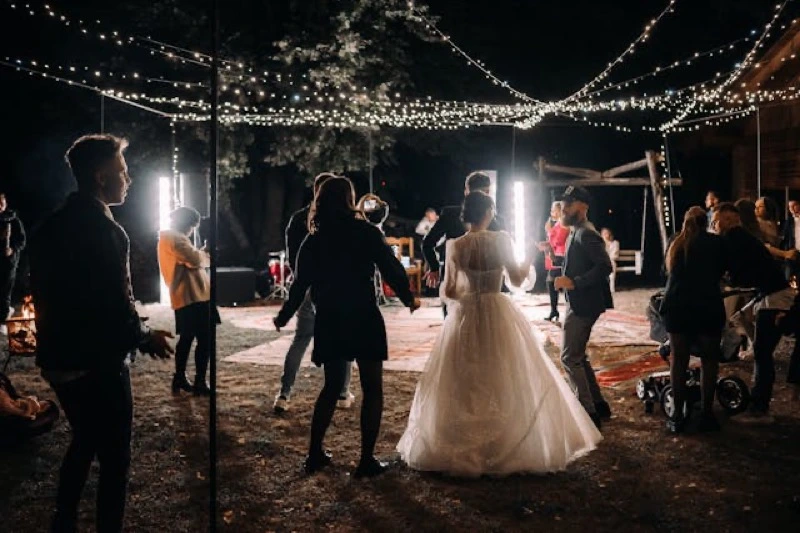
On your wedding day, your guests will collectively snap thousands of photos. The candid first-dance moment from cousin Sarah's angle. The blurry-but-perfect kiss your grandfather caught on his phone. The dance-floor antics nobody else saw. Without a system in place, 95% of those photos die quietly in camera rolls across the country, never to be seen by you.
A QR code on each table fixes that. Guests scan it, land on a private gallery in their browser, and upload directly. That is the entire flow. No apps, no logins, no friction.
What Is a Wedding QR Code Guest Book?
A wedding QR code guest book is a printed QR code (usually placed on table cards, the welcome sign, or favors) that links every guest to a shared photo and video gallery for your event. When scanned with a phone camera, it opens a browser page where guests can instantly upload media they captured. The couple later downloads everything in one archive.
Think of it as the digital evolution of the paper guest book — except instead of a single signature, you collect hundreds of full-resolution photos and videos from every angle of the room.

Why QR Codes Beat Photo-Sharing Apps
Couples used to ask guests to download dedicated photo apps. The drop-off was brutal. Asking 150 people — many of whom are older relatives — to install an app, register an account, and grant photo permissions kills participation. Industry data suggests only around 30% of guests follow through on app-based requests.
QR codes invert the equation. Every modern smartphone scans them natively from the camera app. The path from seeing the code to uploading a photo is three taps. Participation rates with a QR-based wedding photo sharing platform consistently land above 80%.
How to Set Up a Wedding QR Code Guest Book (Step by Step)
Step 1 — Create Your Private Event Gallery
Pick a platform that generates a unique upload link for your wedding. With Blicas, you sign up, name the event, and a private gallery is ready in under two minutes. The platform automatically produces a printable QR code linked to that gallery.
Step 2 — Customize Your Welcome Page
When guests scan the code, they should land on a page that feels like part of your wedding — not a generic upload form. Add the couple's names, the date, and one or two preview photos. This tiny detail signals trust and dramatically increases upload rates.
Step 3 — Print the QR Code on Table Signage
The placement matters. The three highest-converting spots are:
- Table cards — one per table, ideally on a small acrylic stand at eye level.
- The welcome sign — captures arrivals before guests are distracted.
- Bathroom mirrors — sounds odd, but it is consistently the highest-scan spot late in the night.
Add a short, warm caption above the code: "Took a great photo tonight? Scan to add it to our gallery." That single line of context lifts scan rates noticeably.

Step 4 — Brief the Toastmaster or DJ
One verbal mention during the welcome speech or first dance announcement triples participation. A simple line like "If you grab a nice photo tonight, the QR code on your table will send it straight to the couple" is enough.
Step 5 — Download Everything the Next Morning
The morning after the wedding, log in and download the full archive as a single ZIP. Full resolution, originals preserved, ready for your photographer to mix into the official album or for you to scroll through over coffee.
Common Mistakes to Avoid
- Hiding the QR code in the program booklet. If it is folded inside something, it might as well not exist. Keep it visible and standalone.
- Using a free URL shortener. Tracker links sometimes get flagged as suspicious by phone security warnings. Use a platform that gives you a clean, branded link.
- Forgetting full-resolution uploads. Some tools compress images on upload — you lose print quality. Always verify the platform preserves originals.
- Skipping privacy settings. Your wedding gallery should not be indexed by Google. Confirm the link is unguessable and the gallery is not public.
- Not testing on an older phone. Borrow a parent's phone and walk through the scan-and-upload flow yourself before the day.
Wedding QR Code Guest Book vs. Traditional Options
Compared with hiring an extra photographer, asking guests to email photos, or shared Google albums, the QR approach is dramatically faster and more complete. A second shooter costs $800-$1500 and covers a single perspective. A shared Google album requires every guest to have a Google account and remember to upload later (most never do). Email-based collection means scrolling through dozens of attachments compressed below print quality.
A QR-based digital guest book lets every guest become an extra photographer — without any of the coordination overhead. If you want to compare specific tools, see our full best digital wedding guest books guide.
How Much Should You Pay?
Expect to pay between $20 and $80 for a one-event QR photo sharing service. Anything above that range is usually charging for features you do not need (live slideshows, branded apps, paid integrations). Free tools exist but typically compress your photos or require guest accounts — both kill participation.
Blicas keeps it simple with a single one-time fee per event, full-resolution uploads, no app downloads, and unlimited guests. The setup takes about as long as making a coffee.
Frequently Asked Questions
Do guests need an app to scan a wedding QR code?
No. Every modern smartphone (iOS 11+ and Android 8+) scans QR codes directly from the built-in camera. No app needed.
Can guests upload videos as well as photos?
Yes — quality platforms like Blicas accept both photos and videos at original resolution. There is no length cap on typical phone clips.
What if the venue has no Wi-Fi?
Mobile data handles uploads fine in most regions. For destination weddings in low-signal areas, ask the venue if guests can use the Wi-Fi password and add a small note on the table card with the credentials.
How long do guests have to upload after the event?
Most platforms keep the upload link active for 30-60 days. Blicas keeps galleries open well beyond the wedding day, so late uploaders are not locked out.
Is a QR code guest book secure?
When the platform uses unguessable URLs and disables search engine indexing, yes. Your gallery is effectively private to anyone with the direct link or the QR code from your tables.
Set up your wedding QR code in 2 minutes
Create a private gallery, print your QR codes, and capture every angle of your wedding day.
Create your free event portal